> For the complete documentation index, see [llms.txt](https://docs.bizmagnets.ai/llms.txt). Markdown versions of documentation pages are available by appending `.md` to page URLs; this page is available as [Markdown](https://docs.bizmagnets.ai/template/coupon-marketing-template.md).
# Coupon Marketing Template
Coupon Message Templates are available exclusively through the Cloud API, offering businesses a direct way to send personalized discount codes to customers via WhatsApp.
## Overview
These templates allow companies to easily share special offers and promotions, enhancing customer engagement and driving sales. By using Cloud API, businesses can automate the distribution of these coupon codes, ensuring smooth and effective communication with their customers.
## Template Creation
To create an Coupon Marketing Template in BizMagnets:
1. Navigate to Settings from the dashboard menu and select **'Templates.'**
2. Click on the **'+ Create New Template'** button to open the template editor.
3. Provide a name for the template. Select **Coupon Marketing** as the category.
4. You can enhance your Coupon Marketing Template by adding either a text or an image as the message header.
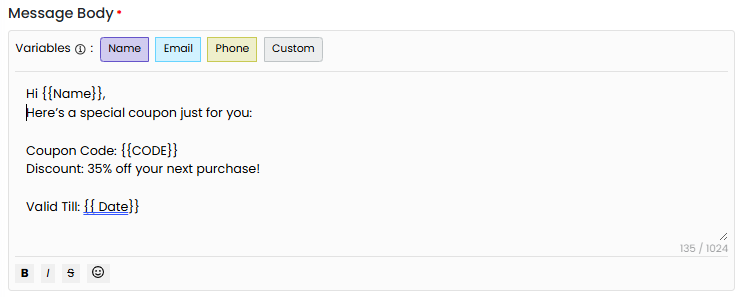
5. Next, add the message content you wish to share with your customers. To personalize it, use variables such as the customer’s name or coupon code.
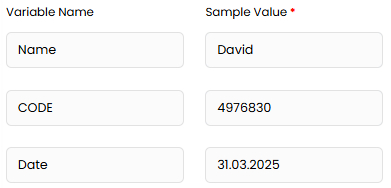
6. Enter the variable values to ensure approval from the WhatsApp team.
7. You can also include a footer in your message for additional information.
8. When setting the **Call to Action (CTA)**, choose **Coupon Code** from the dropdown menu and enter the coupon code you'd like to share with your customers.
9. **Buttons** allow you to link the CTA to a specific action, such as opening a URL (e.g., a product page), sending a message (e.g., a quick reply), or dialing a phone number. This encourages the recipient to take action.
10. Once you've filled out all the required fields, click **Submit for Approval** with the META team. Approval typically takes around 24 hours.
Once your template is approved, you can start sending messages without any issues.
By following these steps, you ensure that your promotional offers are effectively communicated via WhatsApp, delivering clear, engaging messages that help boost conversions.