# Generic Webhooks

## **Overview**

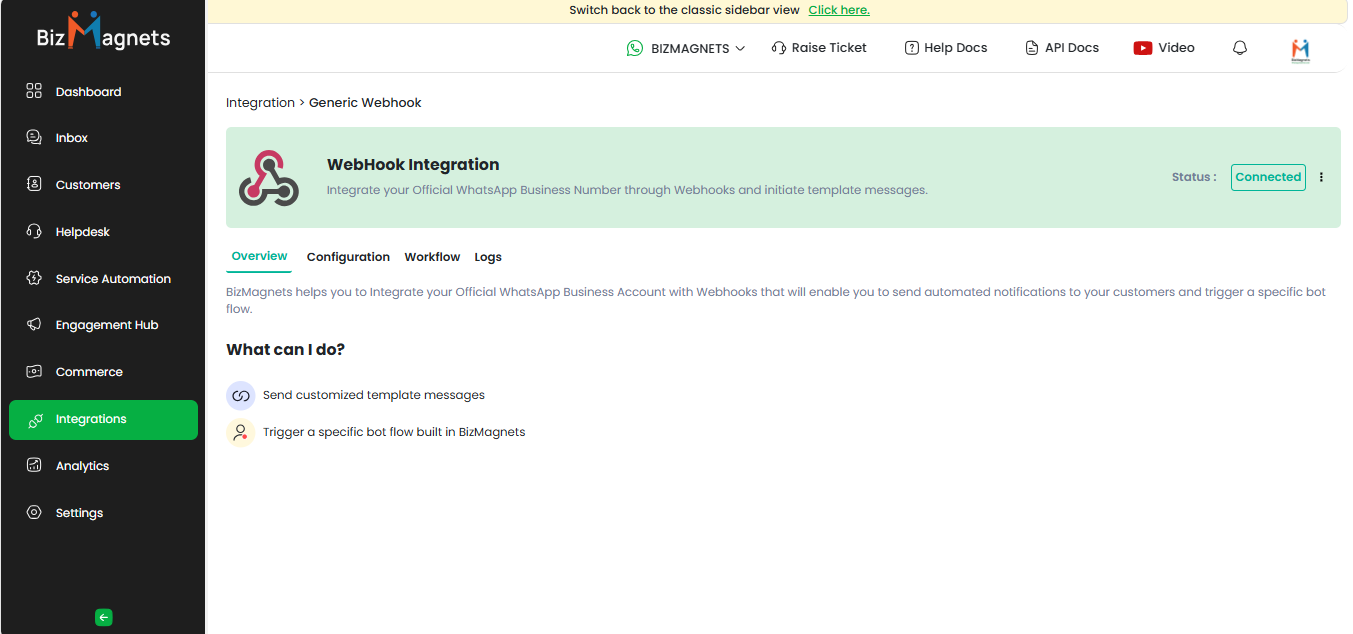
The Generic Webhook integration allows you to effortlessly receive HTTP JSON data from any service or application and use it to send customized WhatsApp messages. Whether you're connecting with a CRM, website, or other systems, our Generic Webhook ensures a smooth and efficient process.

Generic Webhooks function like digital messengers, transferring data between different applications over the internet. In simple terms, they enable applications to communicate with each other by sending real-time updates, allowing you to automatically send tailored WhatsApp messages to your customers using data from your preferred apps.

<figure><img src="https://789614814-files.gitbook.io/~/files/v0/b/gitbook-x-prod.appspot.com/o/spaces%2FvCr7uCTpZRGEF8A48OOJ%2Fuploads%2Fh6Vz4U0RgD8XSVTvkuMe%2Fimage.png?alt=media&#x26;token=cd7e4624-2239-42f3-8c73-d671fc0bdda5" alt=""><figcaption></figcaption></figure>

## **Generic Webhook** Configuration Steps in BizMagnets <a href="#shiprocket-configuration-steps-in-bizmagnets" id="shiprocket-configuration-steps-in-bizmagnets"></a>

The **Generic Webhook Configuration** allows you to integrate an official WhatsApp Business number via webhooks, enabling you to initiate template messages automatically.

1. In your BizMagnets account, go to Integrations from the left navigation.
2. Hover over Generic Webhook Integration and click on Connect.

<figure><img src="https://789614814-files.gitbook.io/~/files/v0/b/gitbook-x-prod.appspot.com/o/spaces%2FvCr7uCTpZRGEF8A48OOJ%2Fuploads%2FwvWjDnEXK7mheceyMqs9%2Fimage.png?alt=media&#x26;token=a81c4734-ad2f-4103-8cdc-9ca026c97b12" alt=""><figcaption></figcaption></figure>

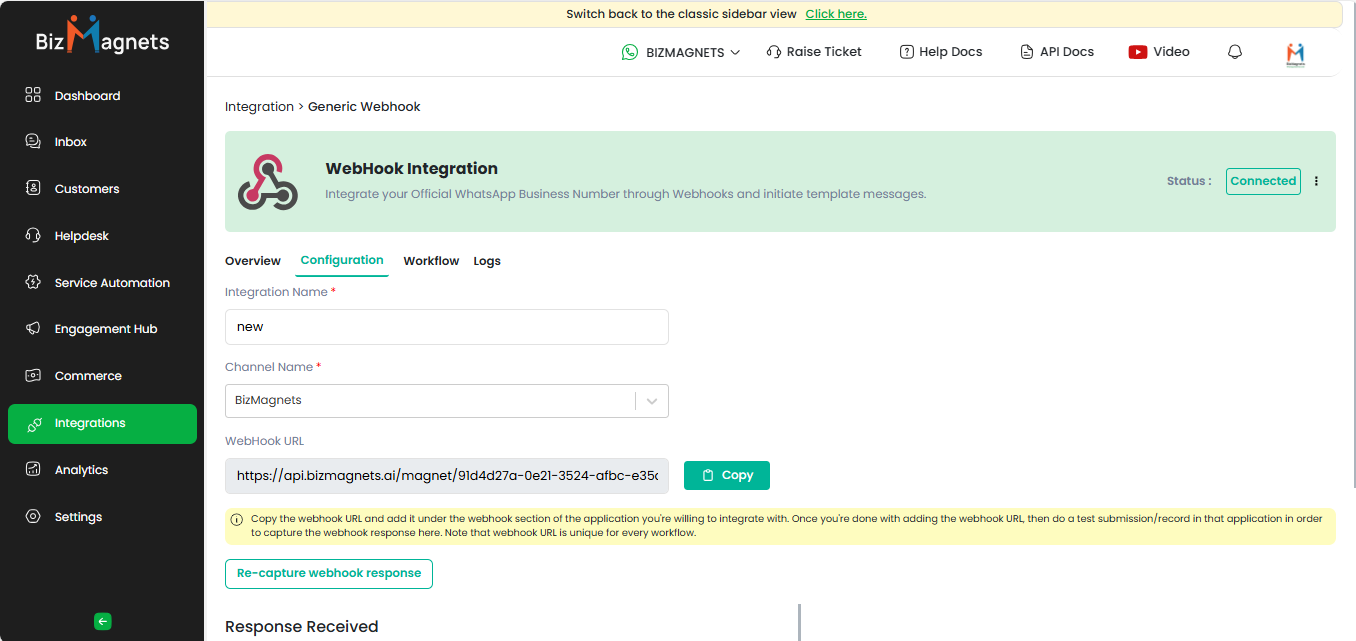
3. In the Generic Webhook prompt, click Connect again. Enter the Integration Name, select the Channel Name,&#x20;
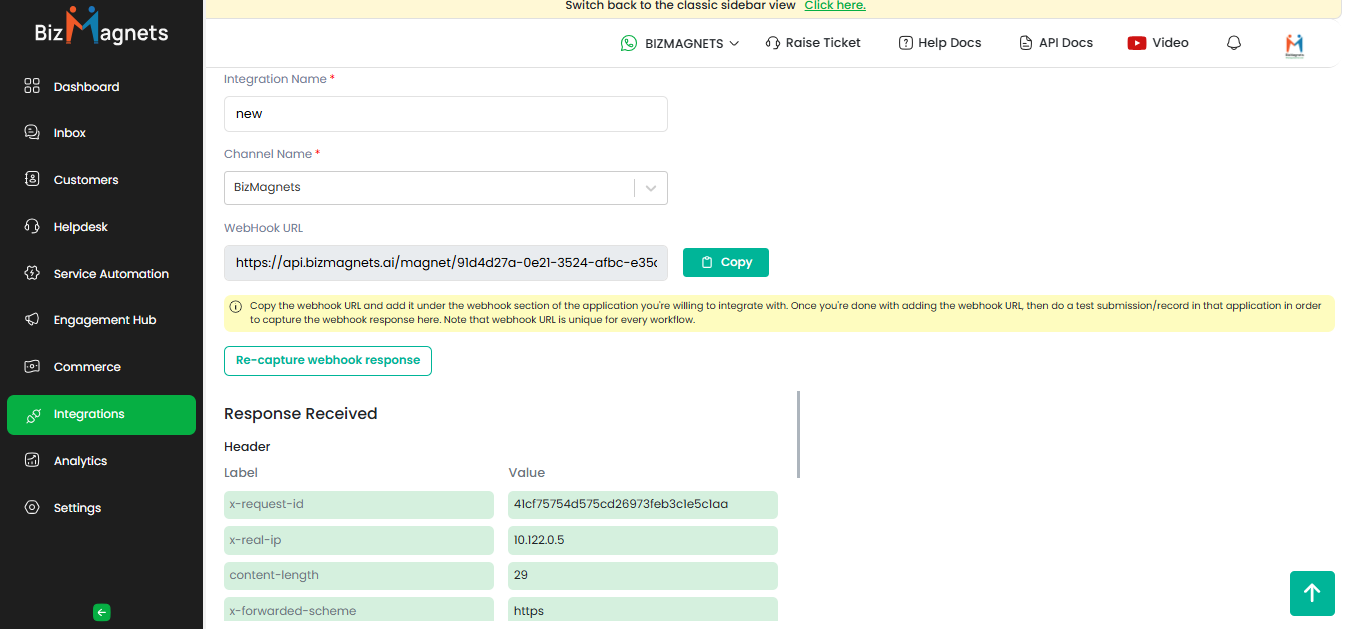
4. Copy the Webhook URL  and click the **Capture Webhook Response** button.
5. Make a POST API call from the Application or Server to capture the webhook response.

<figure><img src="https://789614814-files.gitbook.io/~/files/v0/b/gitbook-x-prod.appspot.com/o/spaces%2FvCr7uCTpZRGEF8A48OOJ%2Fuploads%2Fa0lytyCPElXfBNmS9jRO%2FScreenshot%202025-09-24%20181433.png?alt=media&#x26;token=1af271c3-b6ba-43c9-9f5a-ba9f3bd9bbb1" alt=""><figcaption></figcaption></figure>

6. Once response captured click **Update Configuration** to store called API response.

## **Use Cases**

Explore the possibilities of connecting your BizMagnets account using Generic Webhooks:

<table data-card-size="large" data-view="cards"><thead><tr><th></th><th data-hidden data-card-target data-type="content-ref"></th></tr></thead><tbody><tr><td>Connect Wix Using Generic Webhook   </td><td><a href="generic-webhooks/connect-wix-using-generic-webhook">connect-wix-using-generic-webhook</a></td></tr><tr><td>Connect Zoho Desk Using Generic Webhook  </td><td><a href="generic-webhooks/connect-zoho-desk-using-generic-webhook">connect-zoho-desk-using-generic-webhook</a></td></tr><tr><td>Connect Your Google Form Using Generic Webhook</td><td><a href="generic-webhooks/connect-your-google-form-using-generic-webhook">connect-your-google-form-using-generic-webhook</a></td></tr><tr><td>Connect Contact Form 7 Using Generic Webhook</td><td><a href="generic-webhooks/connect-contact-form-7-using-generic-webhook">connect-contact-form-7-using-generic-webhook</a></td></tr></tbody></table>
